
Can RocketToons turn a photo into a cartoon?
Yes. The official product description includes uploading a photo to create a cartoon character and using that character in a film. The useful distinction is between creating the character design and directing the scenes around it. A successful portrait is an asset; a successful film also needs an action, readable shots, suitable audio and an ending.
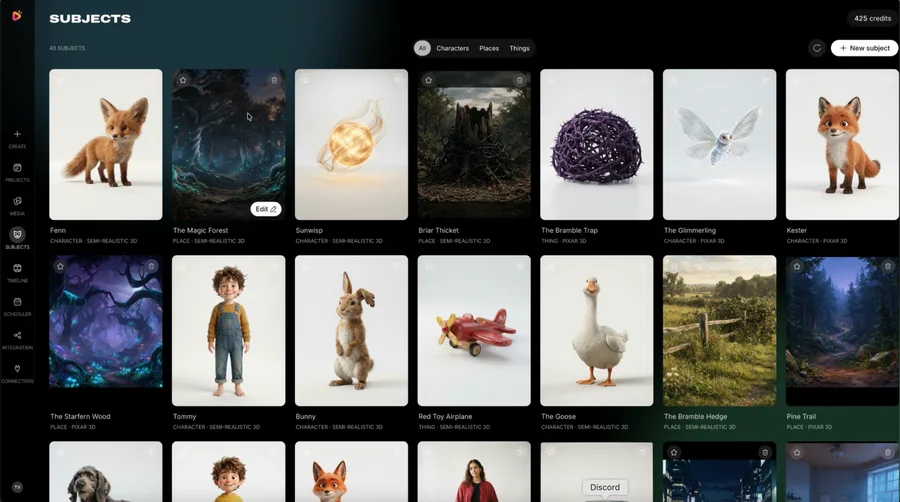
We tried RocketToons and liked its connected creative approach. This guide combines the documented photo capability with our recommended production method; it is not a claim that we measured facial accuracy or tested every style and package. The supplied screenshots show the broader character and story workspaces, not a before-and-after test of an uploaded portrait.
For the wider feature overview and buying considerations, read our complete RocketToons review.
Start with a clear photo and permission
Choose a well-lit photo where the face is easy to distinguish from the background. As a practical input checklist, prefer a clear view of the eyes, hair and main facial outline over heavy filters, deep shadows or an object covering the face. This is preparation advice, not a published file-format or resolution requirement. Follow the upload requirements actually shown in your account.
Use your own portrait or a photo you are authorised to adapt. If another person is pictured, agree on the intended story and where the result will appear. For client work, include approval of the likeness in the brief. Do not assume that owning a photo file, or having a commercial software licence, automatically gives permission to portray its subject in any context.
- A clearly visible subject rather than a crowded group photo
- Recognisable hair, face shape and important accessories
- Permission for the planned adaptation and publication
- A simple note describing the intended character and audience
For a paid project, use the permissions and approval checklist in RocketToons commercial use and client work.
Choose a style without losing the person
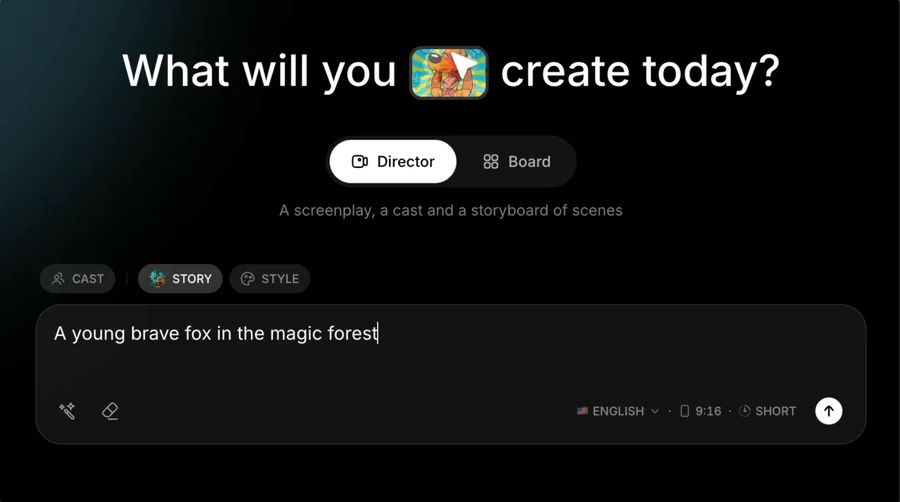
Decide which traits should survive the cartoon treatment before evaluating the first design. A hairstyle, glasses, familiar colour combination or distinctive silhouette may do more for recognition than adding detail everywhere. Write down two or three essentials, then judge the result against those essentials rather than expecting a photographic copy.
A rounded cartoon treatment can intentionally exaggerate proportions; a more restrained treatment may preserve different visual cues. Neither guarantees an exact likeness. Choose the look for the audience and story, and keep that direction stable across the film. If the face becomes difficult to recognise, resolve the character design before generating more scenes.
Compare the creative trade-offs in our RocketToons animation styles guide.
Make the approved character reusable
Once the design is suitable, treat it as the approved character reference for the project rather than requesting a new interpretation for every shot. The photo establishes a starting identity; your reference note establishes what should remain stable when the character smiles, turns or changes location.
Record the chosen name, outfit, main colours and relative proportions. Separate permanent details from temporary story changes: carrying a parcel in one shot should not quietly become a different everyday outfit in the next. Keep a copy of the approved reference so you and any collaborator can identify the same character during revisions.
Build that reference with the RocketToons character consistency checklist.
Turn the portrait into a small story
Give the character one clear objective. For a personal greeting, they might find a lost invitation and reach a celebration. For an original explainer, they might solve one small problem that represents the lesson. A visible goal gives the viewer a reason to watch beyond the initial resemblance.
Begin with a compact sequence you can review as a whole. For example: the character notices a problem, makes a decision, then reveals the result. This three-beat suggestion is a creative planning aid, not a RocketToons scene limit. Decide the destination and aspect ratio early so the face and action remain readable in the final frame.
Illustrative story brief—not a tested prompt or promised result: “Use the approved character and warm cartoon style. The character discovers a folded invitation on a garden bench, follows a trail of paper lanterns and arrives at a small birthday gathering. Keep the same glasses, jacket and hairstyle throughout. End on a clear, friendly reaction.”
If this is your first full sequence, follow the RocketToons first-film tutorial.
Review the storyboard before committing to motion
Read the story and inspect the proposed pictures before treating the sequence as approved. The official workflow describes storyboard and voiced-preview stages before animation. Use those stages to check whether the character remains recognisable, the important action fits the frame and each scene advances the same story.
When something is wrong, name the problem precisely: glasses disappeared, the outfit changed, the action is hidden, or the expression communicates the wrong emotion. A precise correction is easier to evaluate than asking for everything to be “more professional”. Review the account’s quote before generating another version; retries are part of the production budget.
Plan generations and revisions with our RocketToons credits guide.
Give the character a voice, not an assumed voice clone
A photo reference describes appearance, not the person’s voice. RocketToons describes character voices and dialogue tools, but that does not establish that uploading a portrait automatically reproduces the subject’s real speech. Choose an appropriate available voice and review the words, pronunciation, pace and delivery.
For a short greeting, one clear line with room for a reaction can work better than a crowded monologue. Listen to the scene with music as well as without it. Where speech is visible, inspect the relationship between the spoken line and the mouth movement rather than assuming a polished still guarantees a convincing talking scene.
Make the casting and audio decisions in the RocketToons AI voices and dialogue guide.
Check the exported animation at viewing size
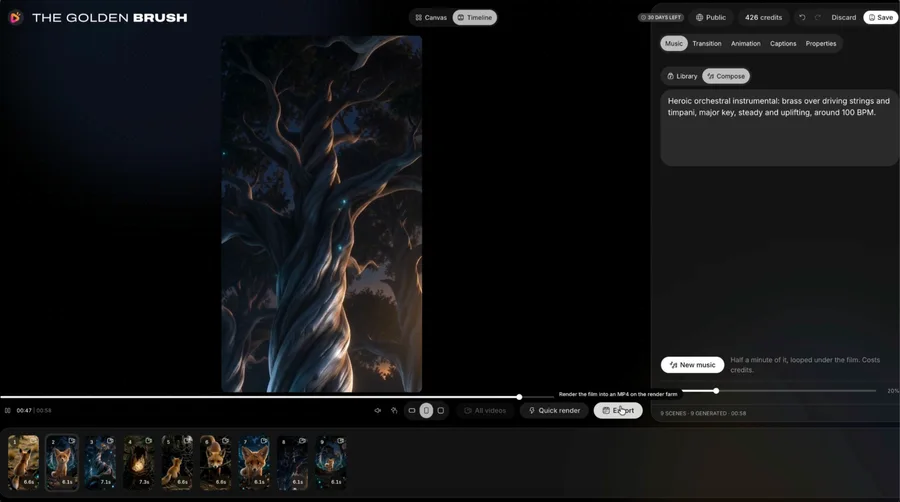
Watch the delivered file away from the editor. On a phone-sized view, can you still recognise the character, understand the action and read any captions? Check the opening frame, scene transitions, sound and final frame together. A pleasing character portrait is not enough if the finished crop hides the expression that carries the story.
Save the approved export and character reference. For another episode, reuse the established identity and give the character a genuinely new situation. Our recommendation is to begin with one short, intentional project: judge the likeness and storytelling together, then expand the series around what you actually want to make.
Before publishing, run through the RocketToons MP4 and export-quality checklist.
Your questions
Can I use a photo of myself in RocketToons?
The official description includes creating a cartoon character from an uploaded photo. Use an image you are authorised to adapt, then check the available upload and character controls in your account.
Will the cartoon look exactly like the original photo?
An exact photographic likeness is not guaranteed here. Choose the traits that matter, inspect the generated design and approve it before using it throughout a film.
Does a photo automatically create a complete animation?
The photo supplies a starting point for a character. A finished story also involves scene planning, motion, audio choices and export review. A cartoon portrait and a complete animated film are different deliverables.
Does uploading a face also clone the person’s voice?
That is not established by the photo feature. Appearance and voice are separate decisions; choose and review the available character voice rather than assuming the portrait provides a voice clone.
Is photo-to-cartoon work unlimited or free of credits?
Do not assume that it is. Check the operations, usage allowances and current generation quotes shown in the selected account. Additional credits are separate from the main software purchase.
Make the next decision
Use the photo to establish a recognisable identity, then direct a story around it. Approve the character and scene plan before adding more motion, and review the finished file as a viewer.
RocketToons Character Consistency
Create a practical character reference for RocketToons: identity, clothing, scale, props and continuity checks across shots and episodes.
RocketToons Animation Styles
Choose a coherent RocketToons visual treatment by audience, expression, framing and repeatability, without confusing style names with third-party endorsement.
RocketToons Export Guide
Review your RocketToons video before delivery: frame, captions, dialogue, transitions, file playback, naming and local backup.