
Choose one change
Give your film a character, a situation and a change. “A young fox finds a lost light and decides whether to return it” contains a decision; “a magical fox in a beautiful forest” contains only a setting. Both can produce attractive pictures, but the first offers a reason to watch the next scene.
For your first attempt, keep the cast and locations deliberately small. Write the audience, the intended destination and the final feeling in a short note. This is our recommended creative method, not a claim that RocketToons imposes a particular story structure.
Direct before generating
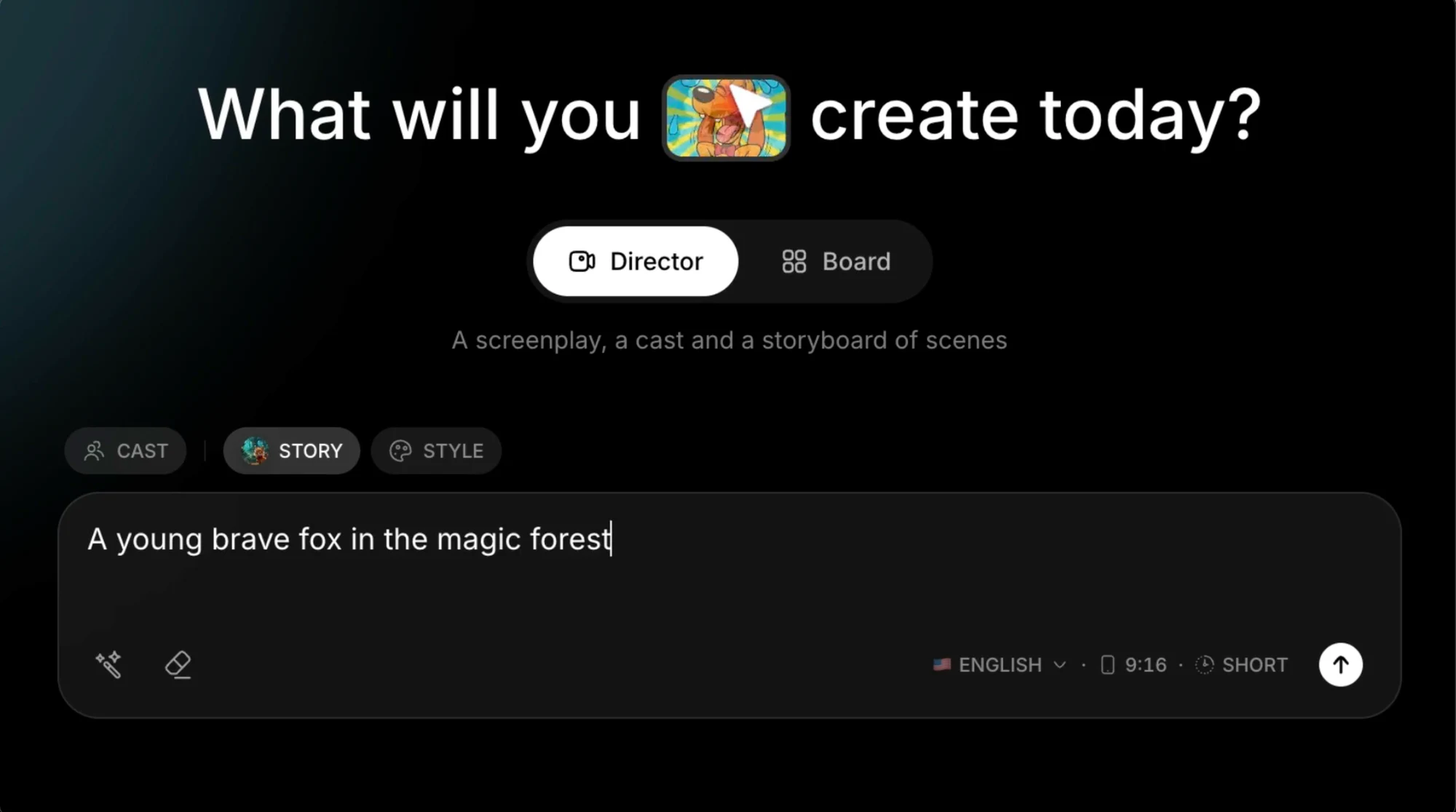
The supplied Director screen separates cast, story and style, with language, format and length choices visible underneath. Use that separation to make your instructions concrete. Tell the system what happens and who matters before layering in lighting or camera descriptions.
Read the proposed story as a sequence of visible actions. Remove narration that merely repeats the image. If a scene depends on an unexplained object or a character introduced too late, correct the script now. A stronger prompt is not always a longer prompt; it is one with fewer unresolved decisions.
Approve the visual plan
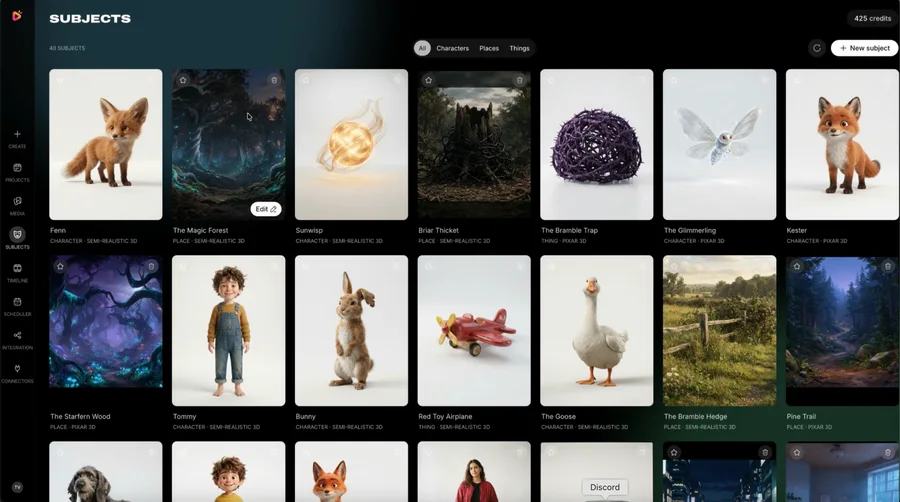
RocketToons describes reusable characters and a preview stage before animation. Inspect the chosen cast next to the scene plan. Compare clothing, proportions, important props and the direction of travel. A recognisable hero makes even a short film easier to follow.
Review stills for story information, not just polish. Can a viewer tell what the character wants? Is the important action large enough to read on a phone? Resolve those questions before paying for more versions of a scene that does not communicate. Exact generation costs depend on the selected operation and account.
Listen and assemble
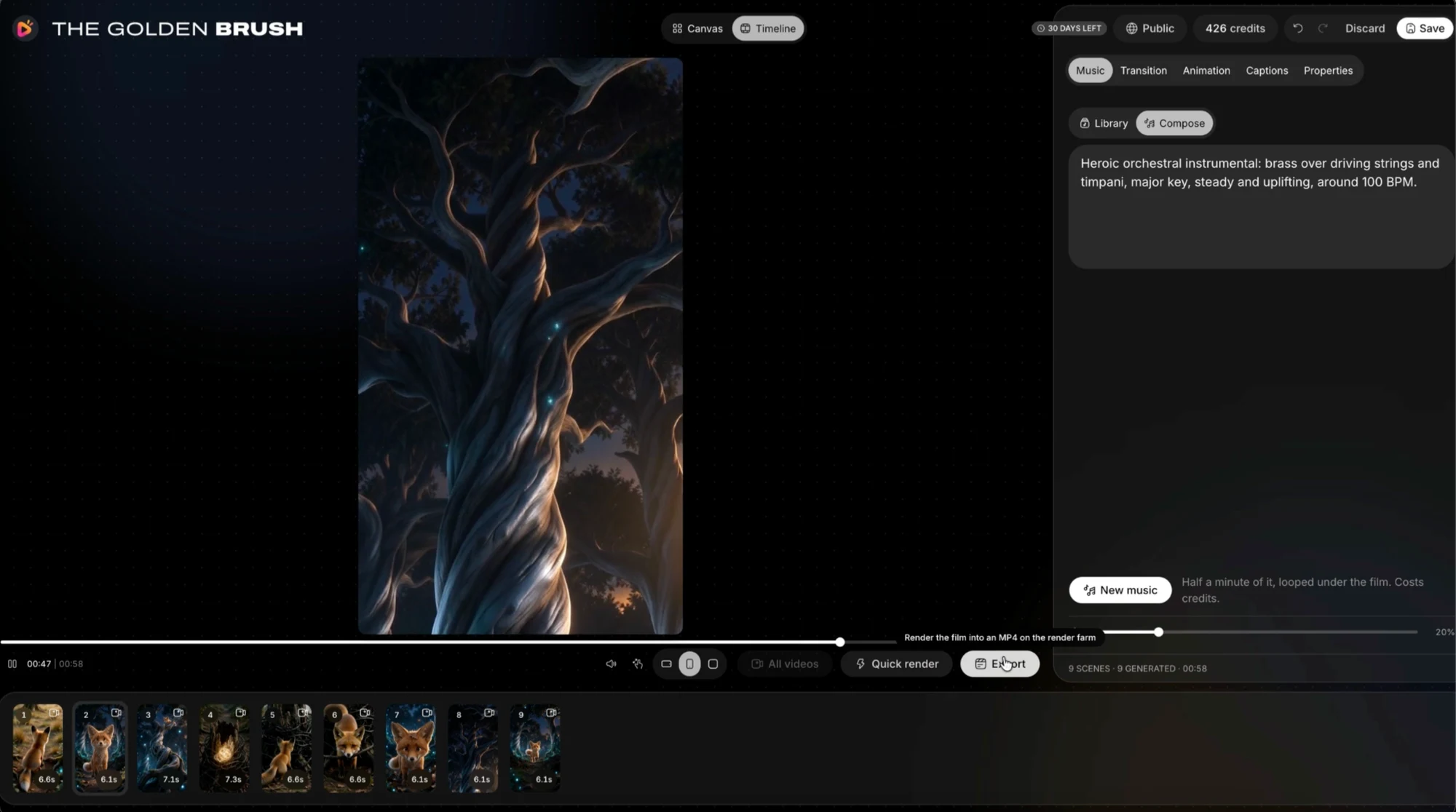
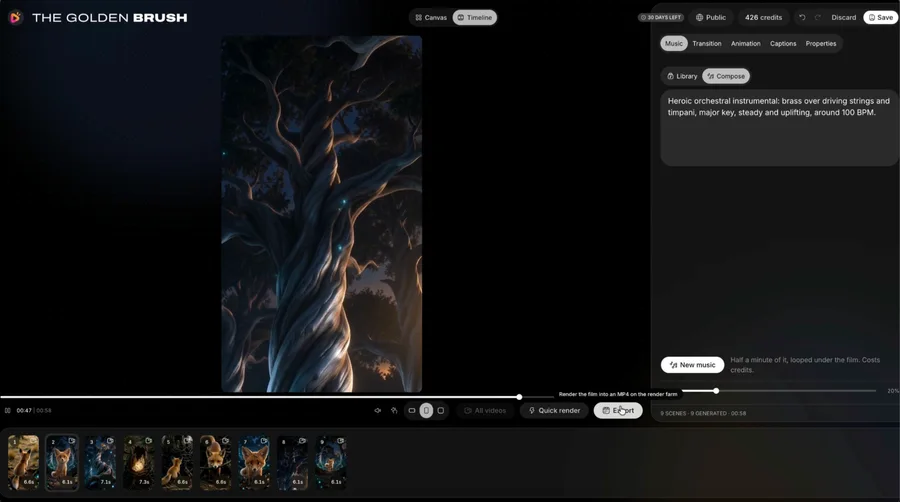
Listen to the spoken lines separately, then with the pictures. Check names, pronunciation and whether the delivery leaves space for a reaction. Use music to support the turn in the story rather than filling every second at the same intensity. The supplied timeline shows music and finishing controls; availability depends on the package.
When a shot fails, identify its specific problem. A confusing action may need a revised instruction; an awkward cut may only need a different duration. Do not rebuild an entire film because one transition is weak. Save an approved draft before experimenting with alternatives.
Finish one useful export
Export a draft for the real destination, then watch it away from the editor. Check the opening frame, dialogue clarity, captions, final frame and the visual crop. The product describes widescreen, vertical and square output, but the right choice is the one your audience will actually see.
Our positive recommendation for RocketToons is rooted in its connected creative workflow and our general experience of enjoying the product. A first finished short is a better next step than immediately buying every specialist option. Keep a local copy of the approved file and a simple record of the settings you would reuse.
- One original premise and a defined audience
- Approved cast and readable storyboard
- Reviewed voice and music balance
- A destination-specific export checked outside the editor
Your questions
Do I need drawing skills to start?
RocketToons is designed around ideas, scripts and generated visual material. You still make creative decisions and review the output; drawing expertise is not the advertised starting requirement.
Should I animate every scene immediately?
We recommend reviewing the script, cast and previews first. That reduces avoidable experimentation, without promising a particular credit saving.
Make the next decision
Start with one clear story, not a maximum-length production. Finish, review and learn what your next film actually needs.
RocketToons Story Writing Guide
Turn an idea into a coherent RocketToons script using character goals, visible actions, a meaningful turn and a concise ending.
RocketToons Character Consistency
Create a practical character reference for RocketToons: identity, clothing, scale, props and continuity checks across shots and episodes.
RocketToons Export Guide
Review your RocketToons video before delivery: frame, captions, dialogue, transitions, file playback, naming and local backup.